DevBench

v1.3.0 · GPLv2 · No external requests

Eighteen developer tools, inside wp-admin.

Debug logs, the database, every file, cron, transients, outgoing mail and your environment — in one place, without SSH, phpMyAdmin and six browser tabs.

Download .zip Source on GitHub Latest release · .zip · ready to install
Tools 18 Across four groups
External requests 0 Nothing phones home
WordPress 6.6+ Multisite aware
PHP 7.4+ Tested to 8.3

Built for local and staging. DevBench can edit files, rewrite wp-config.php, run SQL and execute PHP. That is the point of it — and the reason not to leave it active on a production site.
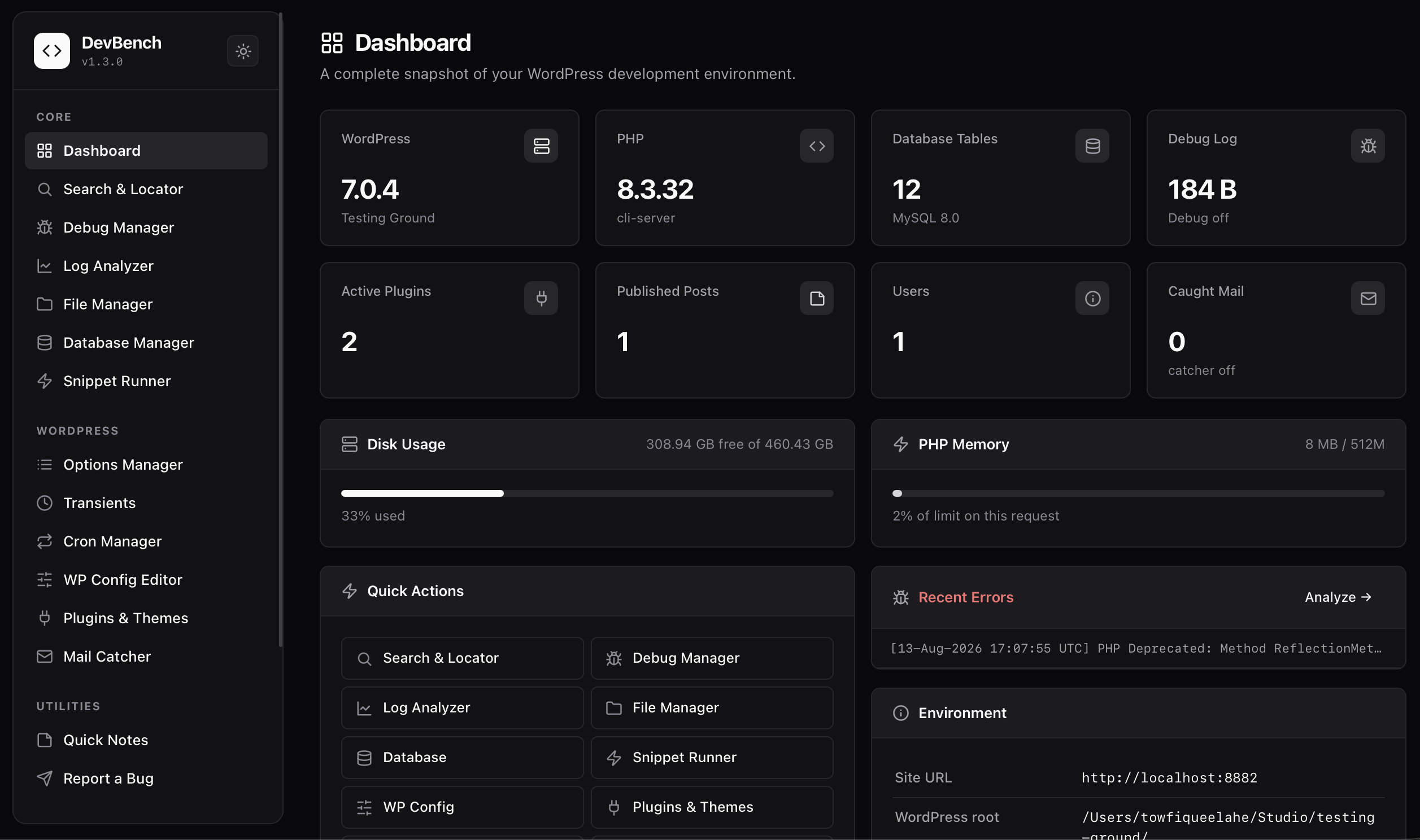
The DevBench dashboard: version tiles for WordPress, PHP, database tables and the debug log, disk and memory bars, quick actions, recent errors and an environment table.
Dashboard Every number you normally hunt for, on one screen.

What's inside

Eighteen tools, grouped the way you work

Each one is a full screen inside the plugin, not a settings toggle. The grouping is the plugin's own navigation.

Core
DashboardVersions, disk and memory, counts, recent errors.
Search & LocatorFull-text across files or database, with live progress.
Debug ManagerToggle WP_DEBUG and friends; watch debug.log live.
Log AnalyzerErrors grouped with their stack traces, sorted by frequency.
File ManagerBrowse, edit, upload, download, zip. Full-screen editor.
Database ManagerBrowse tables, inspect structure, run SQL, export.
Snippet RunnerRun PHP in the full WordPress context, output captured.
WordPress
Options ManagerSorted by size, so autoload bloat surfaces itself.
TransientsActive, expired or persistent — and clear the dead ones.
Cron ManagerSee what's scheduled, run it now, or unschedule it.
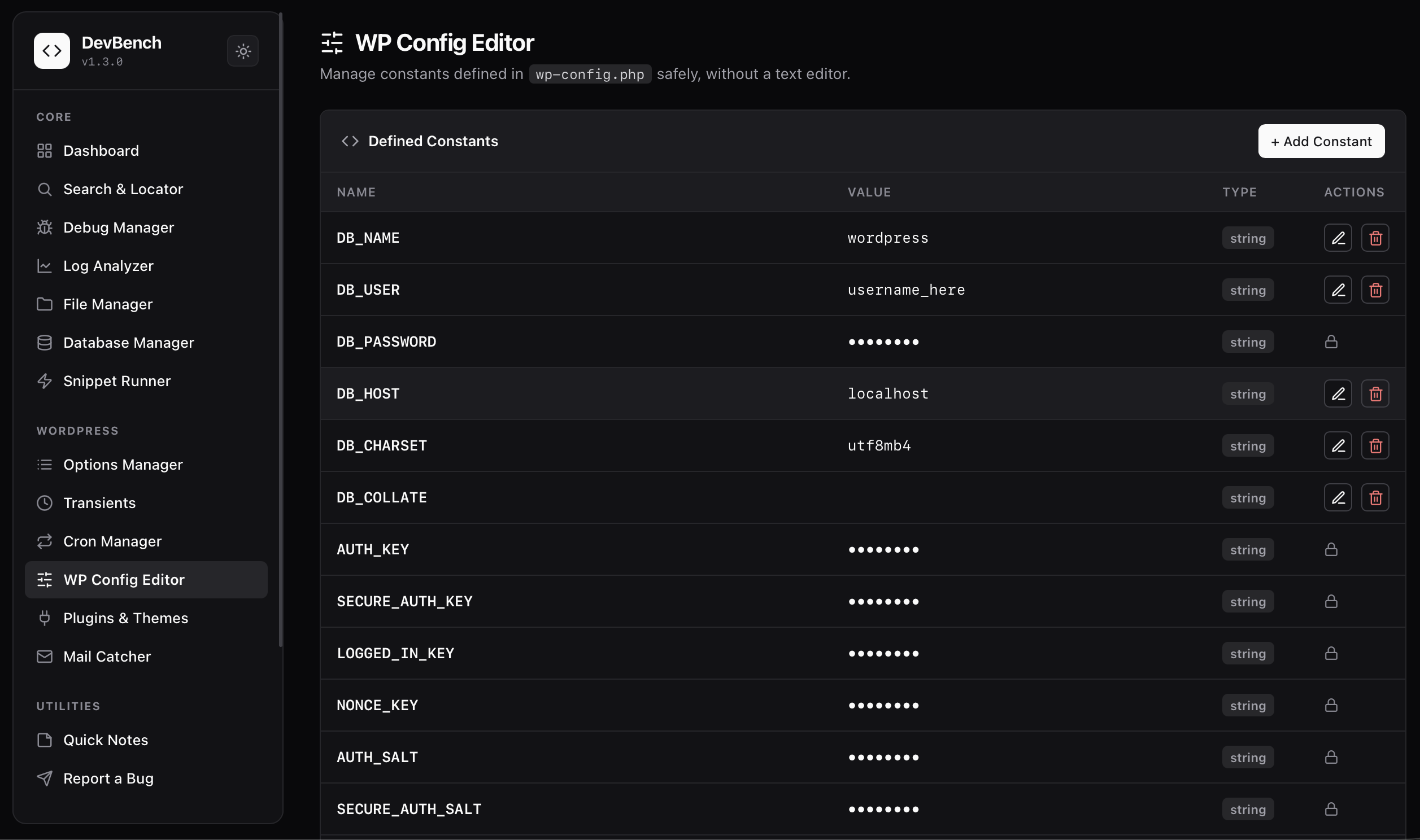
WP Config EditorEdit constants safely. Keys and salts stay masked.
Plugins & ThemesActivate, deactivate and switch from one screen.
Mail CatcherIntercept wp_mail() so test email never actually sends.
Utilities
Quick NotesA scratchpad that survives the tab you just closed.
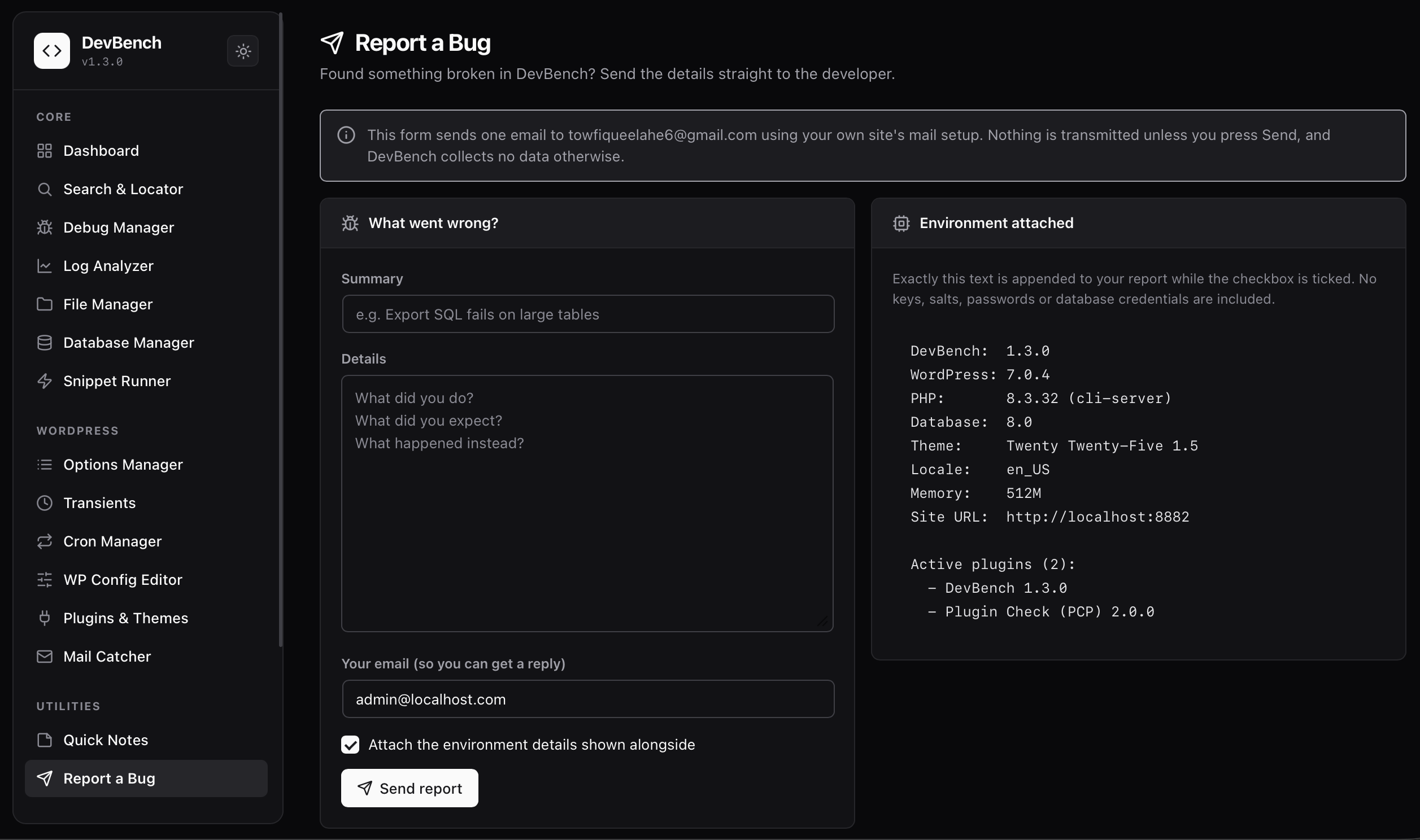
Report a BugSend a problem straight to the developer, with context.
Environment
Environment Checker21 best-practice checks with the fix for each one.
PHP InfoThe full phpinfo() report in an isolated frame.
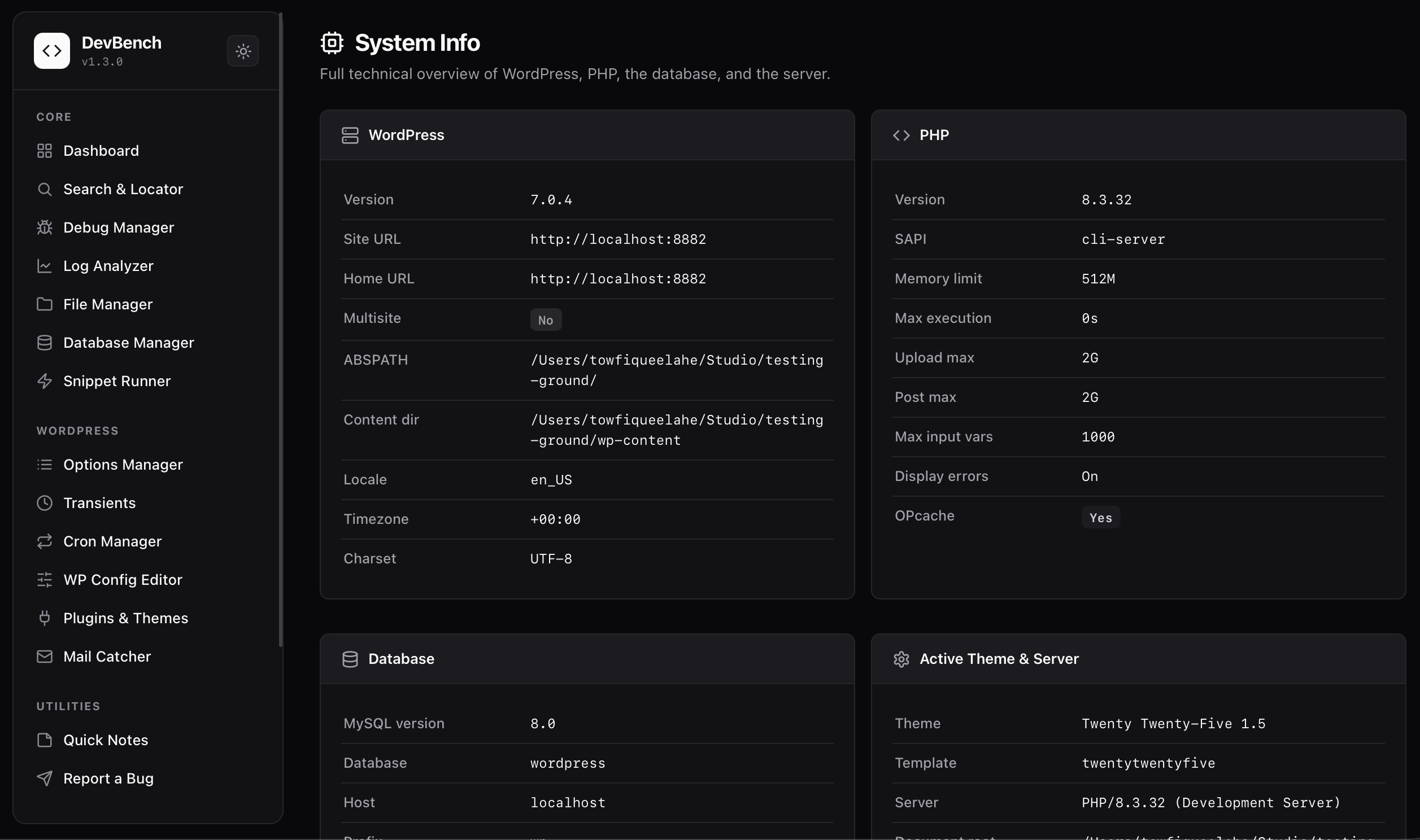
System InfoWordPress, PHP, database, theme and server in one table.

Screens

What it actually looks like

Monochrome by design, dark by default, with a light theme a click away. Every colour pair was measured against WCAG AA in both.
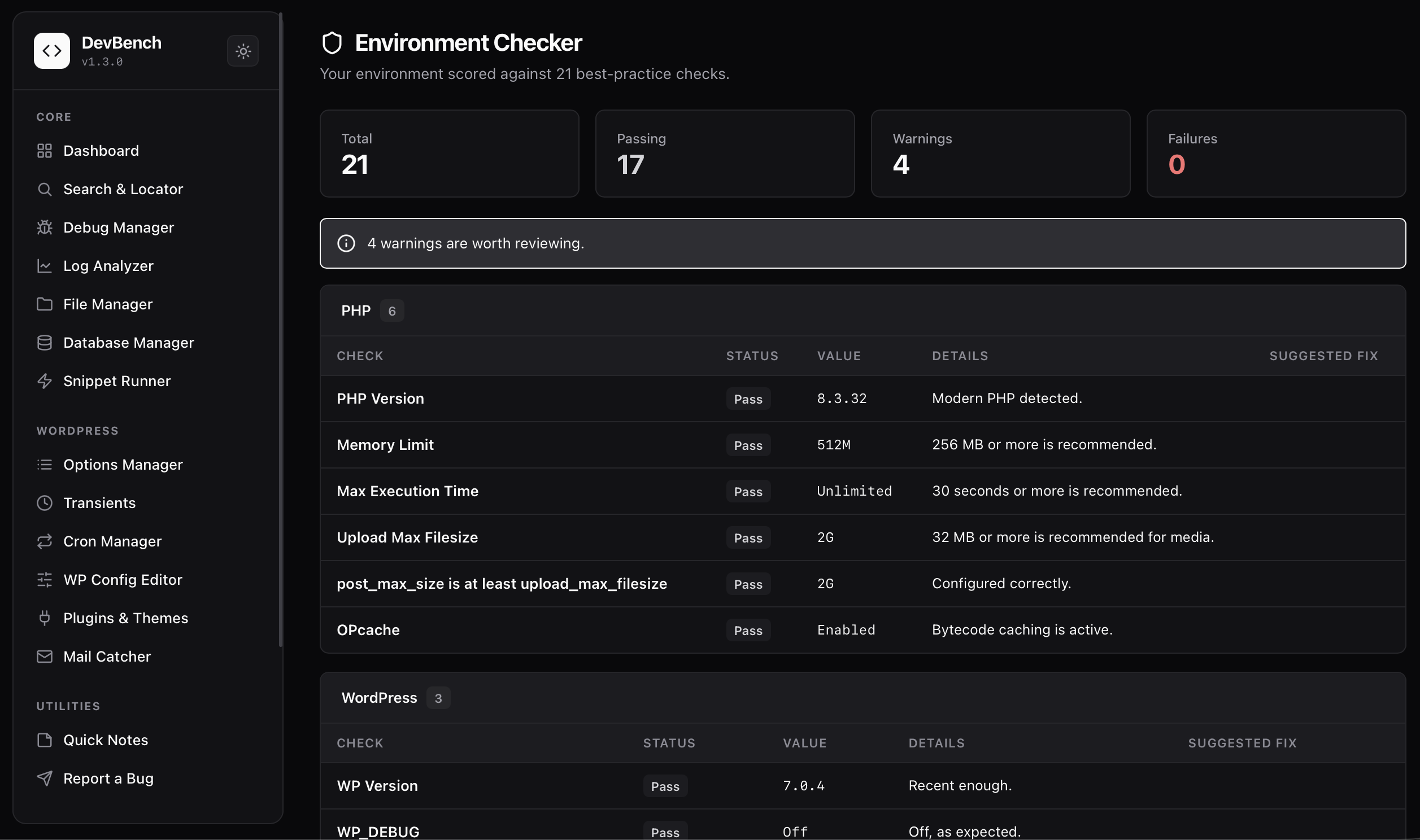
Environment Checker showing 21 checks with 16 passing and 5 warnings, each row listing status, value, details and a suggested fix.
Environment CheckerEvery warning tells you the fix.
System Info listing WordPress, PHP, database and active theme details side by side.
System InfoEverything a support request asks for.
WP Config Editor listing wp-config constants, with keys, salts and the database password masked and locked from editing.
WP Config EditorKeys, salts and passwords are masked and locked.
Report a Bug form with summary, details and reply address, beside a panel showing the exact environment text that will be attached.
Report a BugThe attached environment is shown before you send it.

How it's built

A tool this powerful has to earn trust

DevBench edits files and runs SQL. These are the controls around that, and they are all verifiable in the source.

Honours the lock-down constants Set DISALLOW_FILE_EDIT or DISALLOW_FILE_MODS and every file, config and snippet write is blocked — the interface goes read-only and says why.
Capability and nonce on every request Verified at the AJAX router, then verified again inside each handler. Multisite requires manage_network_options, not just manage_options.
Paths cannot escape the install Any path containing .. is rejected outright, and the resolved real path must sit inside ABSPATH — so symlinks cannot walk out either.
The WordPress Filesystem API, not raw PHP Reads, writes, deletes, moves and permission changes all go through WP_Filesystem.
Identifiers are bound, not interpolated Table and column names reach the database through $wpdb->prepare()'s %i placeholder, and table names are validated against SHOW TABLES first.
Secrets stay hidden Keys, salts and DB_PASSWORD are masked in the Config Editor and cannot be edited or deleted through it.
Nothing leaves your server No external requests, no analytics, no fonts loaded from a CDN. The only outbound data is a bug report you write and submit yourself.
Every destructive action asks first Deletes, unschedules, clears and deactivations confirm before they run, naming exactly what they will affect.

Getting started

Install it in about a minute

From the release

  1. Download devbench.zip above.
  2. In wp-admin, open Plugins → Add New → Upload Plugin.
  3. Choose the file, install, activate.
  4. Open DevBench in the admin menu.

With Composer

Add the repository, then require it like any other package.

{
  "repositories": [
    { "type": "vcs",
      "url": "https://github.com/towfique-elahe/devbench" }
  ],
  "require": {
    "towfique-elahe/devbench": "^1.3"
  }
}

Manually

Clone straight into your plugins directory — handy when you want to follow along with development.

cd wp-content/plugins
git clone https://github.com/\
towfique-elahe/devbench.git

Requirements

What it needs

WordPress
6.6 or newer
PHP
7.4 or newer
Capability
manage_options
On multisite
manage_network_options
Licence
GPLv2 or later
Price
Free, no upsell

Changelog

Recent releases

v1.3.0
  • File download and zip in the File Manager; per-note delete in Quick Notes.
  • Every destructive action now confirms before it runs.
  • All file I/O moved to the WordPress Filesystem API; identifiers bound with %i.
  • Fixed Mail Catcher recording nothing, and row counts reading zero on InnoDB.
  • Redesigned around a monochrome palette, measured against WCAG AA in both themes.
v1.1.0
  • Dark mode by default with a light toggle, applied before paint.
  • Log Analyzer groups multi-line errors with their stack traces.
  • Search & Locator gained batched scanning with a real progress bar.
v1.0.0
  • First release — 17 tools, full-screen code editor, unified AJAX architecture.

All releases on GitHub

Latest release

Put the whole toolkit in your admin menu.

Free and GPLv2. Install it on your local site, use it while you build, deactivate it before you ship.